Start here
What is Brave Powers?
Brave Powers is a habit app where kids grow their own world. A child sets five small daily steps — make the bed, read ten minutes, pack the bag. They tick each one off, win the day, and a colourful world grows with them. One brave step at a time.
Built by a dad and his daughter, for kids aged 8 to 17.
The right size
Who is it for?
Students aged 8 to 17, in three sizes:
- 01
One student
a child who needs to build their own routine
- 02
A small group
a tutor group, a wellbeing cohort, a support group
- 03
A class or year level
a whole room building habits together
And for the grown-ups who run the room: teachers, wellbeing coordinators, and year-level leaders.
The loop
What problem does it solve?
Most habit plans fall into the same loop — and the loop always wins.
- 1
Nag
you remind. Again. And again.
- 2
Resist
the more you push, the harder they dig in.
- 3
Guilt
everyone feels bad. Nobody feels helped.
- 4
Give up
the chart comes down. Until next time.
Brave Powers breaks the loop. Instead of you pushing from the outside, the student gets a reason of their own — a promise they made, and a world that grows because they kept it. You stop being the nag. You get to be the cheer squad.
Three parts
How does it work?
Three parts. One brave day.
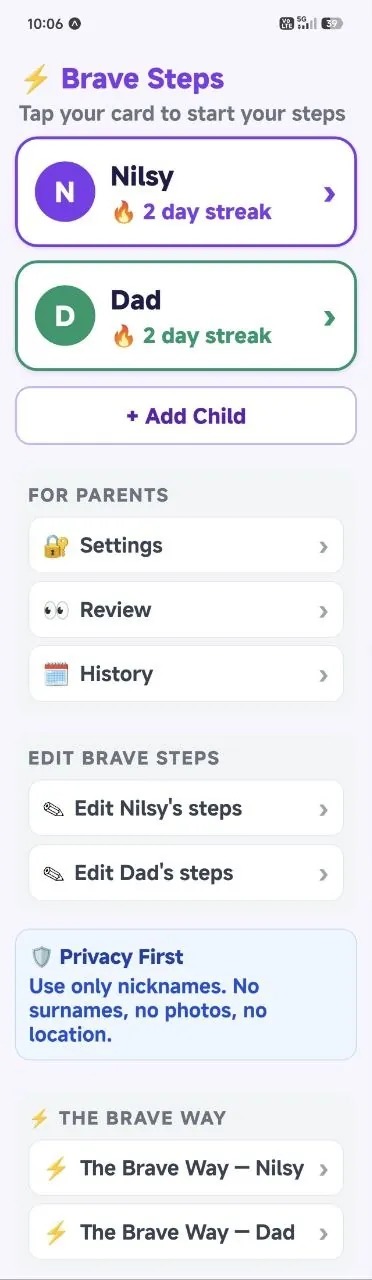
01
Set
the grown-up chooses five small daily steps. Small enough to win, real enough to matter. Everything grown-up sits behind a PIN.
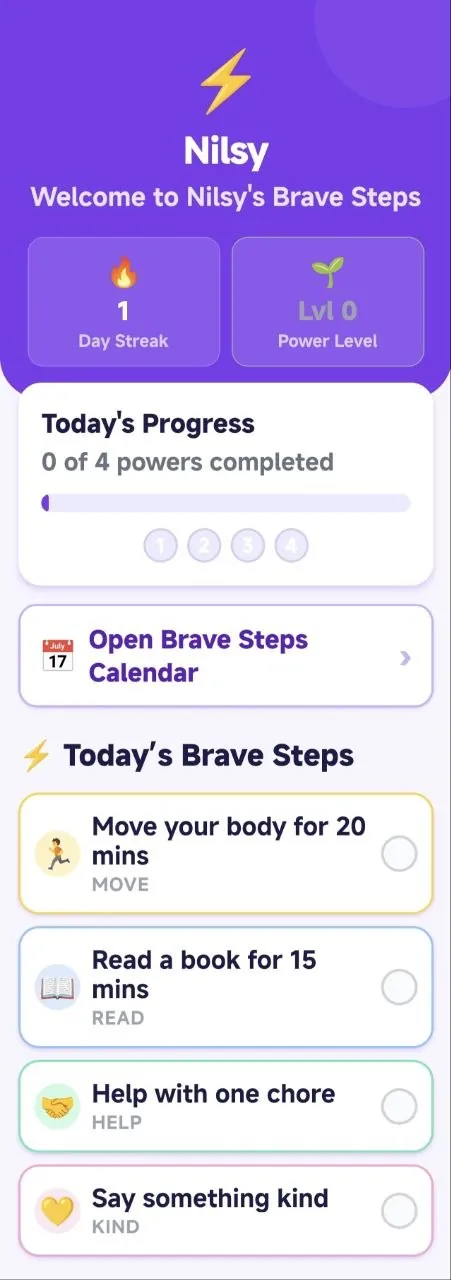
02
Do
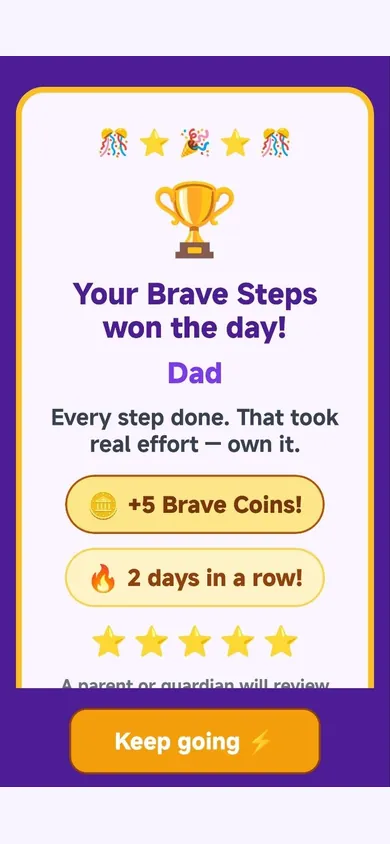
the student ticks off their steps in their own time. Finish all five and they've Won the Day.
03
Grow
won days become streaks. Streaks earn certificates. And a world grows with them.
A real example
An example:
Goal — become a better tennis player
- 1Make my bed
- 2Drink one cup of water
- 3Practise tennis for 20 minutes
- 4Read 10 pages on how to become a better tennis player
- 5Stay off social media
Five steps. One day. The goal gets closer — without anyone nagging.
The longer arc
What do students gain?
The idea is simple: small wins → stronger habits → bigger challenges → bigger dreams.
Simple Task.
Make the bed. Pack the bag. Easy wins that build momentum.
Build Harder Tasks.
Practise for 20 minutes. Read 10 pages.
Your Brave, Trying Your Hardest.
The steps become the student's own. They push themselves — because the win belongs to them now.
Along the way, they choose a class — Athlete, Firefighter, Artist, Scholar, or the bravest of all: A Good Person.
A calm role for parents
How do parents stay involved?
Quietly. Parents set the five steps behind a PIN, and get a calm once-a-week summary of how the habits are going — wins, wobbles and streaks. No live surveillance, just the story of the week.
In a school, the same idea works both ways: the class sets the steps, and parents can mirror them at home. One routine, two cheer squads.
Trust first
Privacy and safety
This is the part schools ask about first. Brave Powers is built around it.
In the Brave Powers app, privacy is built in from the start.
Brave Powers works offline and collects as little information as possible. Children never need accounts, email addresses or passwords. There are no ads, no sale of personal information and no behavioural tracking of children.
When a parent enables Family Sync, each child’s Brave Steps, journal entries and progress are encrypted on the device before being securely synchronised. This allows parents to manage their family across devices while keeping private child content unreadable to Brave Powers.
Each paired child device is authorised for one child only. It cannot access siblings, subscriptions or parent controls.
We process only the limited account, subscription, device-authorisation and synchronisation information needed to provide the service. Exports, celebration images and support screenshots leave the device only when you deliberately choose to send them.
- Works offline and securely synchronises when a parent enables Family Sync
- No child accounts, sign-ups, email addresses or passwords
- No ads, no sale of personal information and no behavioural tracking of children
- Private child content is encrypted on the device before synchronisation
- Each paired child device can access only its assigned child
- Parent controls are protected by secure account sign-in and the parent PIN
- Parents control exports, sharing and optional support attachments
- Parents can delete their Family account and synchronised family data